> ## Documentation Index
> Fetch the complete documentation index at: https://forge-64364c0e.mintlify.site/llms.txt
> Use this file to discover all available pages before exploring further.
# Hub
> Download models from HuggingFace and manage your local model library
# Hub (04)
Download models from HuggingFace and manage a local library. Search by repository ID, download individual files or entire repos, and import existing local models.
 ## Views
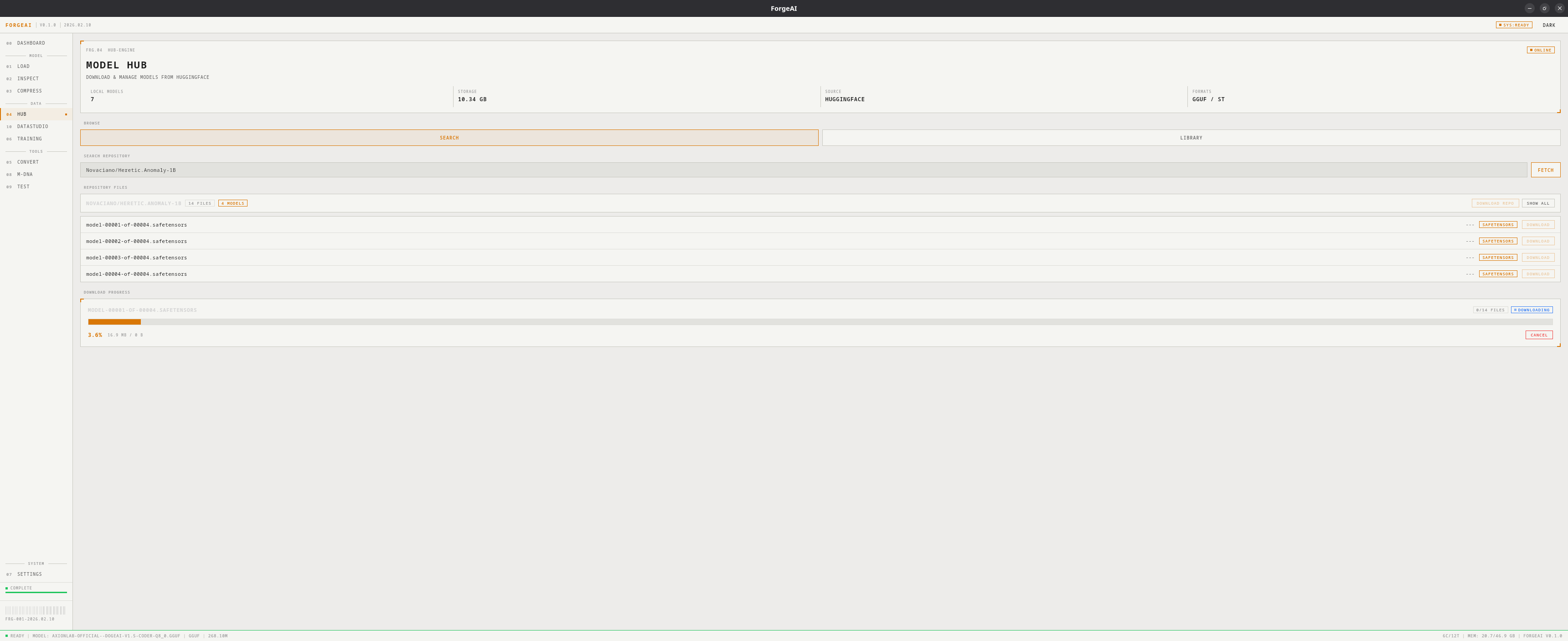
Browse and download from HuggingFace:
1. Enter a **HuggingFace repo ID** (e.g., `TheBloke/Mistral-7B-GGUF`)
2. Click **FETCH** to list all files
3. Each file shows: filename, size, format badge (GGUF, SafeTensors, other)
4. Toggle **Models Only** to filter to model files
5. Click **DOWNLOAD** on individual files or **DOWNLOAD REPO** for everything
Progress panel shows real-time status: file name, bytes, percentage. Downloads can be cancelled.
## Views
Browse and download from HuggingFace:
1. Enter a **HuggingFace repo ID** (e.g., `TheBloke/Mistral-7B-GGUF`)
2. Click **FETCH** to list all files
3. Each file shows: filename, size, format badge (GGUF, SafeTensors, other)
4. Toggle **Models Only** to filter to model files
5. Click **DOWNLOAD** on individual files or **DOWNLOAD REPO** for everything
Progress panel shows real-time status: file name, bytes, percentage. Downloads can be cancelled.
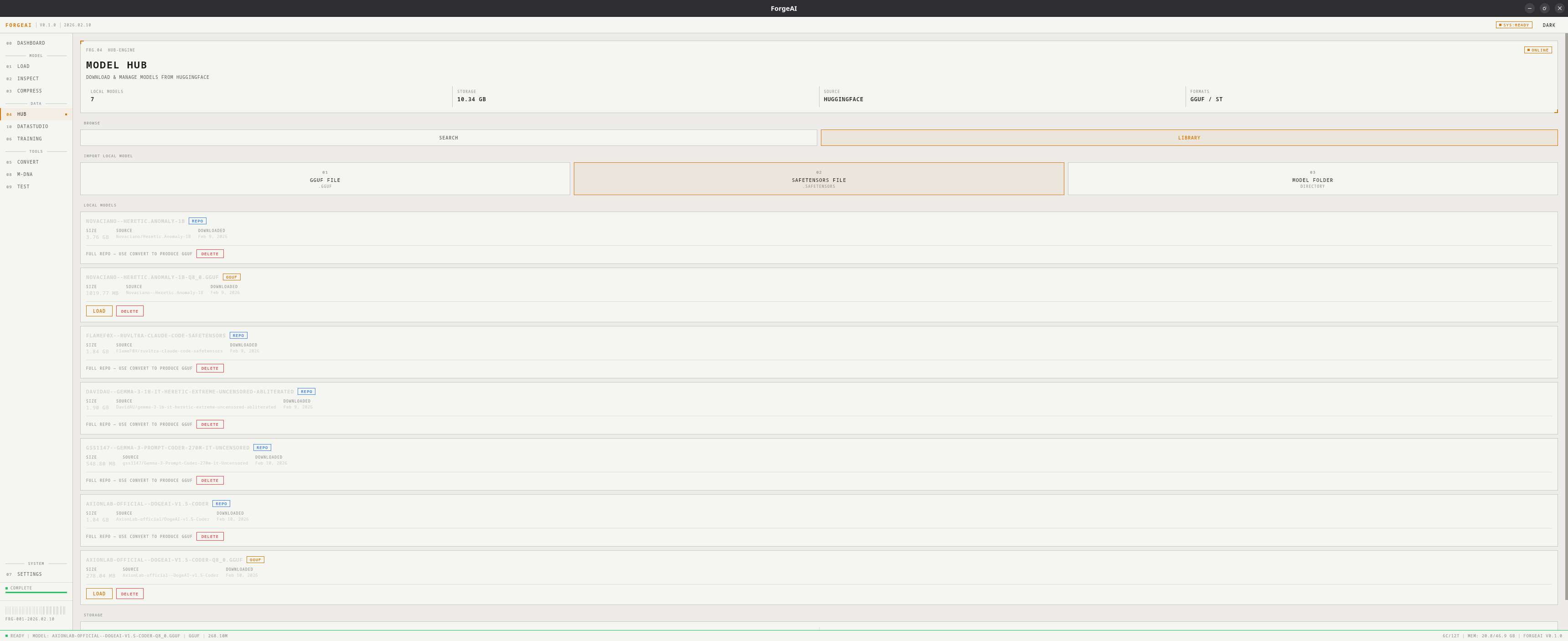 Manage locally downloaded models:
* Each model card: name, format badge, size, source repo, download date
* **LOAD** button to load into ForgeAI
* **DELETE** button to remove
* Storage summary: total models and disk usage
**Import** models already on disk:
* Import GGUF file
* Import SafeTensors file
* Import model folder
## Hero Panel
| Field | Description |
| ------- | --------------------- |
| MODELS | Count of local models |
| STORAGE | Total disk usage |
| SOURCE | HUGGINGFACE |
| FORMATS | GGUF, SAFETENSORS |
## Workflow: Download and Use
Enter repo ID (e.g., `TheBloke/Mistral-7B-Instruct-v0.2-GGUF`) and click **FETCH**
Click **DOWNLOAD** on a specific file (e.g., `mistral-7b-instruct-v0.2.Q4_K_M.gguf`)
Switch to Library view, click **LOAD** on the downloaded model
Model is now available across all modules
Downloaded models from the Hub are automatically available in the **Test** module's local library chips and in the **Convert** module's repository selector.
Manage locally downloaded models:
* Each model card: name, format badge, size, source repo, download date
* **LOAD** button to load into ForgeAI
* **DELETE** button to remove
* Storage summary: total models and disk usage
**Import** models already on disk:
* Import GGUF file
* Import SafeTensors file
* Import model folder
## Hero Panel
| Field | Description |
| ------- | --------------------- |
| MODELS | Count of local models |
| STORAGE | Total disk usage |
| SOURCE | HUGGINGFACE |
| FORMATS | GGUF, SAFETENSORS |
## Workflow: Download and Use
Enter repo ID (e.g., `TheBloke/Mistral-7B-Instruct-v0.2-GGUF`) and click **FETCH**
Click **DOWNLOAD** on a specific file (e.g., `mistral-7b-instruct-v0.2.Q4_K_M.gguf`)
Switch to Library view, click **LOAD** on the downloaded model
Model is now available across all modules
Downloaded models from the Hub are automatically available in the **Test** module's local library chips and in the **Convert** module's repository selector.