

Inspect (02)
Inspect provides deep analysis of a loaded model — 3D architecture visualization, memory breakdown, capability detection, quantization distribution, runtime compatibility, and more.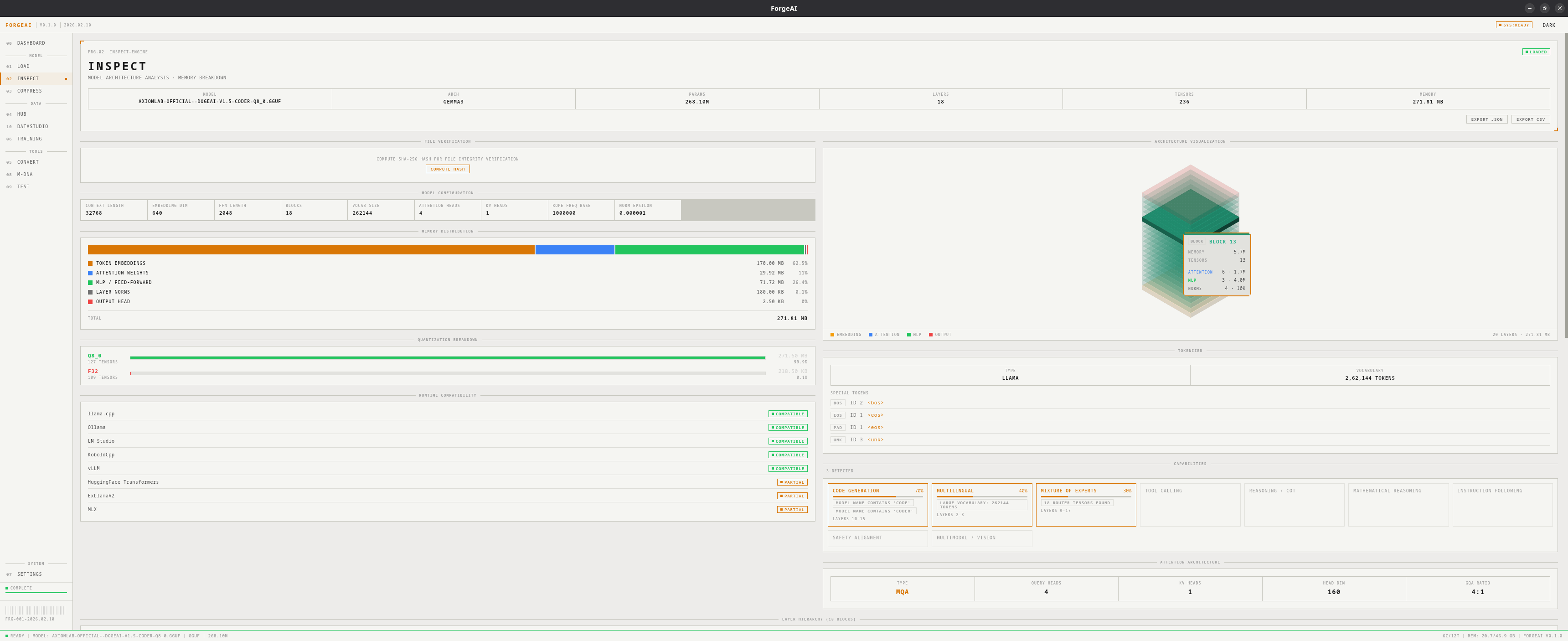
A model must be loaded via the Load module before Inspect is available.
Isometric 3D Visualization
An interactive isometric view renders the model as stacked blocks:- Embedding layer at the bottom
- Transformer layers stacked vertically, colored by attention/MLP tensor ratio
- Output layer at the top
Memory Distribution
Six-component breakdown showing how memory is allocated:
Each component shows exact byte count, percentage, and a proportional bar.
Quantization Breakdown
For each dtype present (F32, F16, BF16, Q8_0, Q4_K_M, etc.):- Tensor count, total size, percentage, and visual bar chart
Capability Detection
Runtime Compatibility Matrix
Checks support across 8 popular inference runtimes:
Status: COMPATIBLE, PARTIAL, or NOT SUPPORTED.
Attention Architecture
- Query heads and KV heads count
- Head dimension and GQA ratio
- Visual head diagram
Tokenizer Info
- Tokenizer type (BPE, Unigram, WordPiece)
- Vocabulary size
- Special tokens (BOS, EOS, PAD, UNK) with IDs
File Verification
Click COMPUTE HASH to calculate SHA-256 fingerprint for integrity verification.Data Export
- JSON — Full model metadata as JSON
- CSV — Tensor list with names, dtypes, shapes, and sizes
Layer Hierarchy
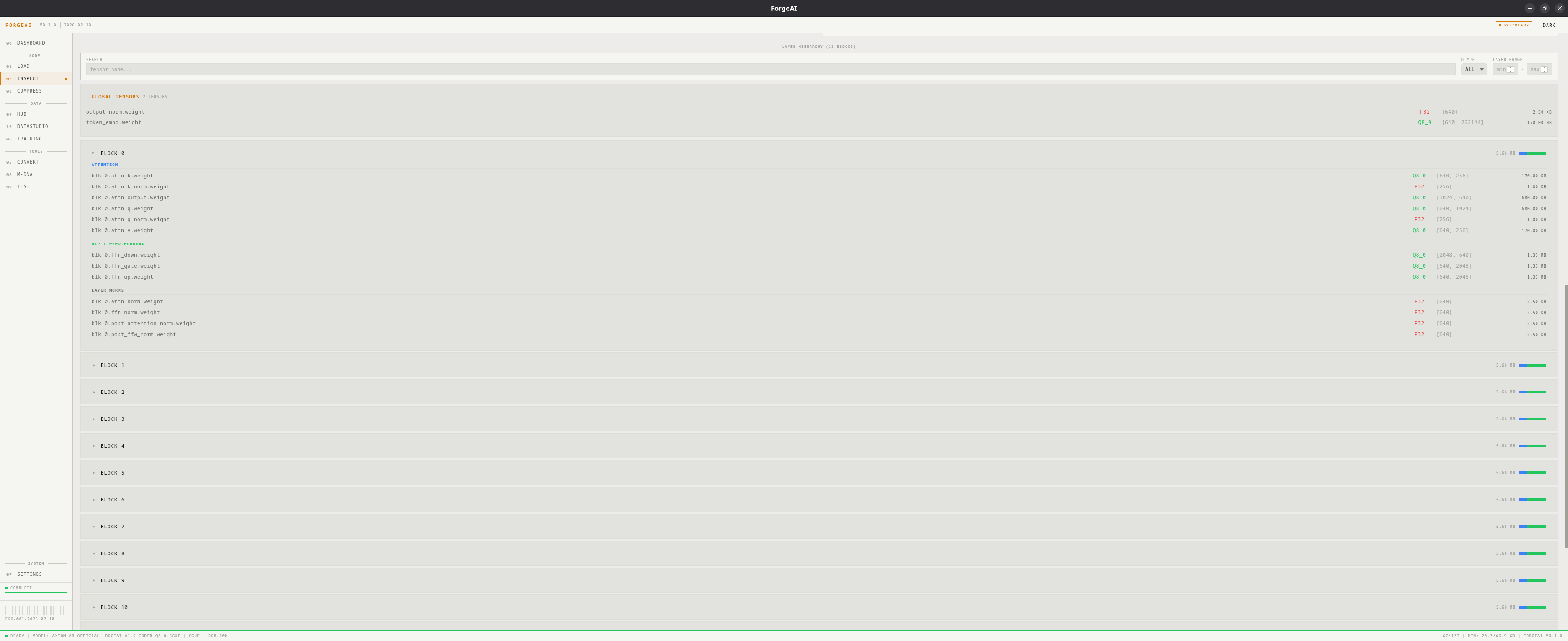
Expandable list per layer showing attention, MLP, norm, and other tensors. Filter by name, dtype, or layer range.Tensor Browser
Searchable, filterable list of all tensors with:- Tensor name
- Data type
- Shape dimensions
- Memory size