

Compress (03)
Quantize GGUF models to smaller sizes using llama-quantize. Preview estimated size, quality, and speed before running.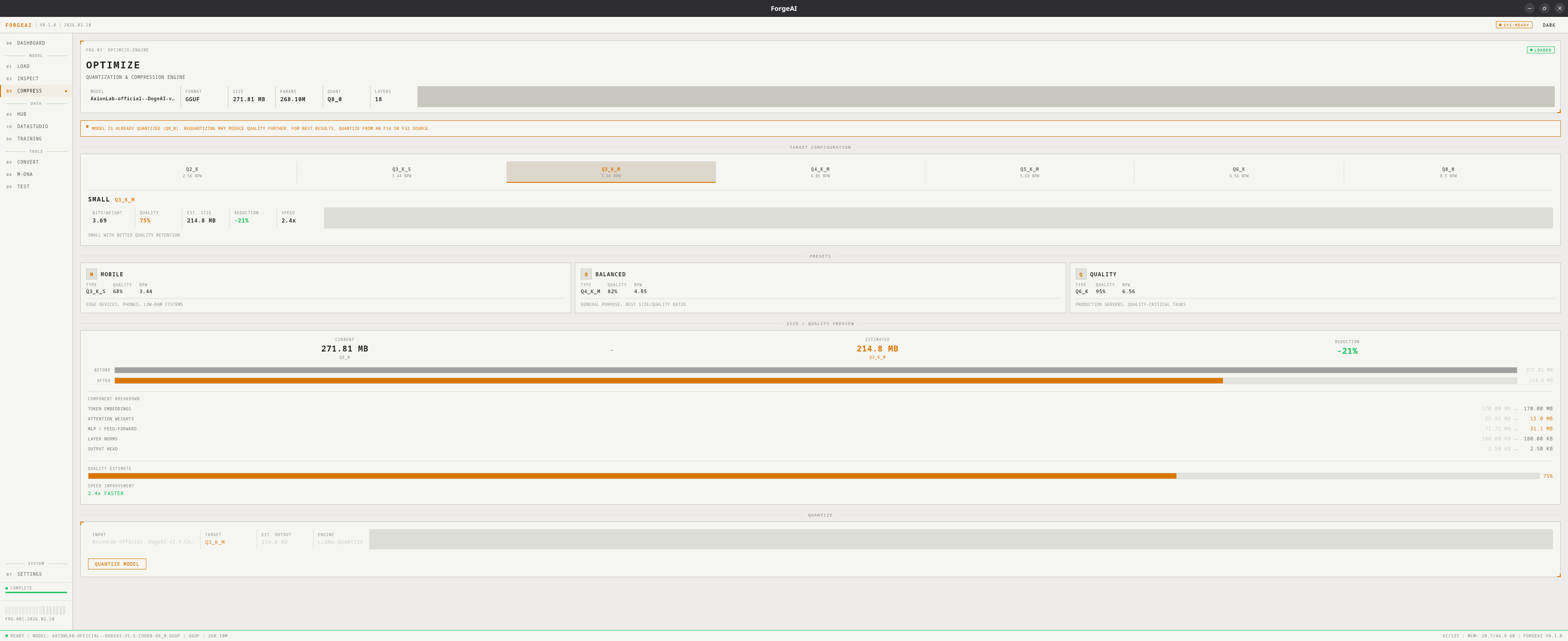
Requires a loaded GGUF model and llama.cpp tools installed (see Settings).
Quantization Levels
Presets
MOBILE
Q3_K_M — Edge devices, phones, low-RAM systems
BALANCED
Q5_K_M — General purpose desktops and laptops
QUALITY
Q8_0 — Production servers, quality-critical applications
Size & Quality Preview
Before quantizing, a preview shows:- Before/After file sizes with reduction percentage
- Component breakdown: attention, MLP, embeddings, output head, norms
- Quality estimate bar
- Speed improvement relative to original
Workflow
1
Load a GGUF model
Use the Load module to import a GGUF file
2
Select target level
Click a level button or preset card
3
Review preview
Check estimated size, quality, and speed
4
Quantize
Click QUANTIZE MODEL, choose output path, monitor progress